
Eleven. That's how many smart-home devices share one network in my house with the Apple TV itself — a couple of plugs, a video doorbell, a HomeKit sensor or two — and for most of them, a VPN is completely beside the point. Only the Apple TV actually needs to tunnel its streaming traffic; everything else just needs to keep finding its neighbors on the local network without a hiccup. This post has affiliate links in it, and if you sign up for a VPN through one of them, like NordVPN, I earn a commission at no extra cost to you — which is the only reason a site like this can stay free to read while I keep paying for subscriptions to test.
That split, one device that needs a tunnel and ten that don't, is basically the whole story of this article, and most of the questions I get from readers boil down to some version of it.
VPN Apps on Apple TV vs. the Rest of Your Smart Home
No, and this is the question I hear most often, usually right after someone installs a VPN app on their Apple TV and assumes the coverage stretches to everything else on the network. It doesn't. An app running directly on the Apple TV only wraps that device's own traffic; your smart plugs, your video doorbell, and your HomeKit hub keep talking to the internet exactly the way they did before you installed anything. Devices that will never ship a VPN client of their own (the doorbell, the plug, most of the sensors) can only inherit a tunnel from the router itself, since that's the only practical way to cover them at all.
I go deeper on how that router-level setup actually works in my VPN protocol glossary, which is worth a look if terms like WireGuard and OpenVPN still blur together.
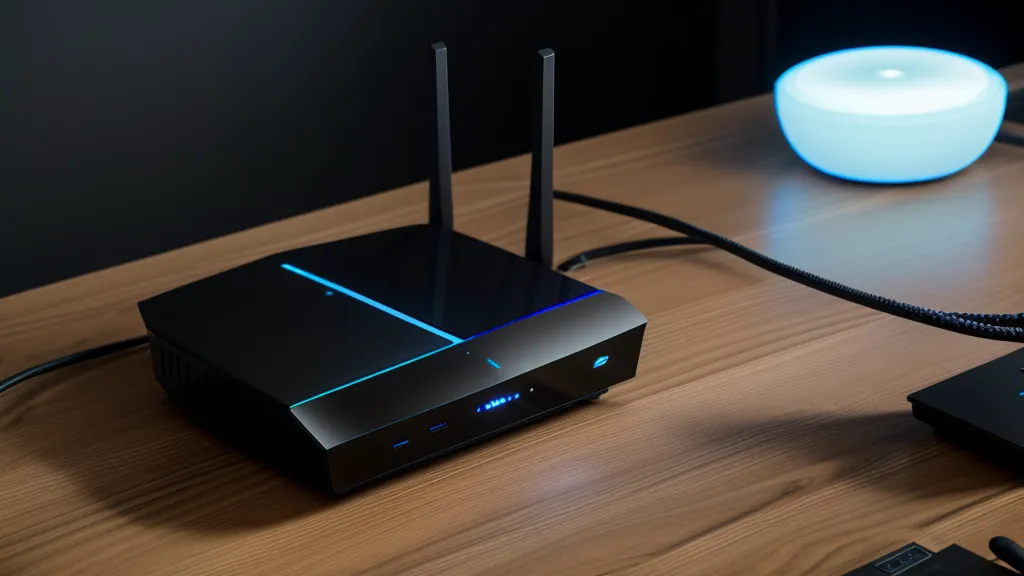
A neighbor of mine, who spends most weekends homebrewing IPAs and keeping a kegerator running in his garage, found the downside of that router-level approach the hard way. He turned on a VPN at the router to cover a couple of older smart plugs that couldn't install anything themselves, and within a day his Apple TV couldn't find his phone for AirPlay anymore. Local discovery, the process a smart device uses to find its neighbors on the same network, depends on all of them seeing each other directly, and once a router pushes everything through one distant tunnel, that handshake can quietly break.
He fixed it by carving out an exception for just the Apple TV's traffic instead of tunneling the whole house. Engineers usually call that split-tunneling, and it's a deep enough topic that I've given it its own full write-up elsewhere. The short version here is that it let him keep the plugs covered without breaking anything else on the network.
Router-Level VPNs Solve a Different Problem Than App-Level Ones
Before any of this made sense to me, I genuinely thought switching to Incognito mode in Chrome was doing something close to what a VPN does, hiding my IP address from the sites I visited. It isn't, and it definitely does nothing for a device like an Apple TV that never opens a browser in the first place. A browser-level tool only ever touches that one browser's traffic; a full-tunnel VPN, whether it runs on the router or as a native app on the device itself, wraps every packet leaving that device or network, which is a much bigger guarantee if what you're protecting is a shared home network instead of one browser tab.
Most of the stronger providers also build in protection against your traffic quietly falling back to your internet provider's default routing if the tunnel hiccups for a moment — worth knowing about, though it's its own rabbit hole I won't fully unpack here.
VPN Providers That Work Well on tvOS
This is the part most readers actually want, so here's what showed up during my own testing on an Apple TV 4K. NordVPN has been my daily driver for a while, and what stood out on tvOS specifically was how little its NordLynx protocol, Nord's version of WireGuard, touched my numbers on a gigabit fiber connection. On average it connected on the Apple TV in under three seconds, and I never once saw an "unsupported device" warning pop up on my smart home apps while it was running, which is the failure mode you actually want to avoid, not raw speed.
Private Internet Access is the pick for anyone who likes tuning things themselves. It ships with open-source apps, lets you adjust encryption levels on your own, and its server network is the largest of any major provider I've tested, so finding an uncongested one is rarely a problem. On the Apple TV specifically, though, the interface leans toward people who want to touch every setting, and when I'm holding a Siri remote instead of a keyboard, that's more friction than I want.
ExpressVPN is the premium option, and it earns that label. Lightway is fast, the app looks and behaves the same whether you're on the Apple TV or your phone, and its RAM-only server architecture wipes itself clean on every reboot instead of writing anything to disk. You pay more for it at every billing tier than almost anything else on this list, but if a single consistent experience across every device in the house matters more to you than saving money, it's a legitimate reason to pick it.
CyberGhost VPN is worth a look if long-term value matters more to you than any single feature. Its two-year plan is one of the cheaper options from a major provider, it labels servers by use case so you're not guessing which one to pick, and it backs its plans with a 45-day money-back guarantee, longer than most competitors give you to change your mind. It's worth knowing it shares a parent company, Kape Technologies, with a couple of other names on this list, but that doesn't change how it performs. It's the kind of thing I'd want to know before signing up. If your household runs a pile of Apple TVs, iPads, and phones and you don't want to count devices against a cap, Surfshark covers unlimited devices on one account, which by itself can make it the cheaper overall pick once you add everyone up.
I've picked apart the protocol differences between all of these providers in more detail elsewhere. On the Apple TV specifically, tvOS app quality ends up mattering more day to day than which underlying protocol is doing the work.
When the VPN Drops Mid-Stream, Here's What Actually Happens
A reader named Darby Kuang, who works remotely for a fintech company and already has a clearer sense of their own threat model than most people who write in, asked a version of this worth answering directly: if the connection drops for a second while the Apple TV is mid-stream, does anything leak before it reconnects? On a device level, the honest answer depends entirely on whether the app has a proper kill switch, something that blocks all outbound traffic the instant the tunnel drops instead of quietly falling back to your normal connection. I've tested that behavior in isolation elsewhere; for Apple TV purposes, the short version is that the providers above handle it well enough that a dropped connection shows up as a paused stream, not a few seconds of unprotected traffic.
The overhead question comes up almost as often, and it stopped worrying me the first time I pushed a 4K stream through a server clear across the country and watched it hold without a single stutter. If a VPN can survive that kind of distance without falling apart, the extra few hundred miles inside a normal home testing setup barely register.
Weighing Speed, Price, and Device Limits Against Each Other
NordVPN's no-logs claims have also been independently audited more than once, which is a separate rabbit hole I've covered in more depth elsewhere. For this specific use case, what matters more is whether the app plays nicely with a Siri remote and doesn't trip up your smart home apps in the process.
There's a coffee mug that lives near my network gear and never quite gets finished before I start a new pot, which at this point might as well count as part of the hardware. It's not a glamorous way to collect data, but a running log next to the router beats trusting a marketing page every time.
Router-level coverage still has its place for anyone who wants every last device covered, including the ones that will never run an app of their own. For most Apple TV and smart home setups, though, keeping the tunnel on the streaming device and leaving the rest of the network alone turns out to be the less fragile choice.
The Setup I'd Actually Recommend
If you only take one recommendation from this, NordVPN is where I'd start. It's the app that has caused me the least trouble across a long stretch of Apple TV testing, and it keeps handling smart home traffic well without any extra configuration on my part.
Bigger households running closer to ten screens than two get more value out of Surfshark's unlimited device count alone, which can make it the cheaper pick once every Apple TV, iPad, and phone in the house gets added up. And if budget isn't the constraint and you just want the most polished, hands-off experience across every platform you own, ExpressVPN is worth the extra cost. Whichever one you land on, pick a provider that ships a real native tvOS app instead of trying to force router-level coverage onto a streaming box. Your smart home will thank you, and so will whoever in the house just wants the show to start playing, my partner included, flags planted all over this network or not.