
A kill switch that blocks traffic the instant you yank an Ethernet cable is not the same thing as a kill switch that blocks traffic when your laptop wakes up from sleep and tries to reconnect on its own — and most VPN marketing pages only ever talk about the first case. Running the same VPN security checks against ExpressVPN, NordVPN, CyberGhost, and Private Internet Access for two years is what exposed the gap between those two scenarios, and that gap is where the real differences in a kill switch show up, not in whether the feature exists at all.
Quick disclosure before anything else: this site runs on affiliate links, and I earn a commission if you subscribe through one of mine, at no extra cost to you. Every provider named below has been paid for out of my own pocket and run through my own home network — none of this comes from a press kit, and there's a transparency policy if you want the full breakdown of how that arrangement works.
The Difference Between a Kill Switch and a Kill Switch That Actually Works
Most reviews treat a kill switch as a binary feature, something a VPN either has or doesn't, which is roughly as useful as judging a car by whether it has airbags without asking whether they deploy correctly. The honest answer to "does this VPN have a reliable kill switch" depends entirely on which failure mode you're testing — a clean disconnect, a crashed driver, or a sleep-wake cycle — and almost nobody specifies which one they mean when they make the claim. That's the first thing worth sorting out before you trust any kill-switch-test headline: ask what kind of failure the test actually simulated, because blocking traffic when disconnected and blocking traffic when your OS silently reconnects before the tunnel is back are two different engineering problems.
How much this matters depends on your own threat model — journalists and activists need a kill switch that never fails, while someone mainly worried about an ISP snooping on browsing habits can tolerate an occasional gap — and scoping that out before you shop for a privacy tool is a separate exercise I won't repeat here.
Running the Actual Disconnect Tests
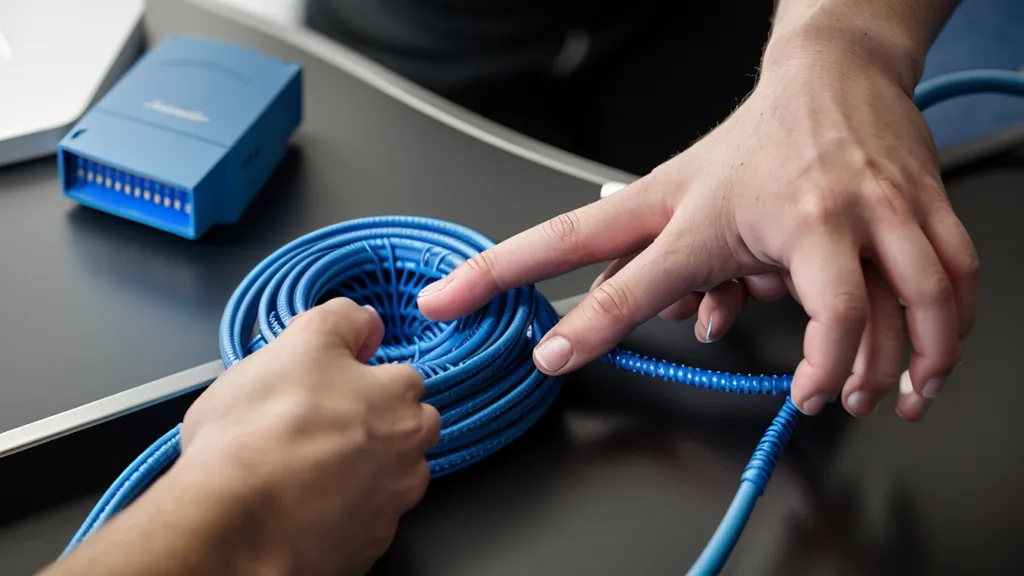
My setup for this is closer to a stress test than a lab experiment: force-kill the network interface, pull power from the router, and watch a packet sniffer for a single packet that slips out unencrypted before the tunnel reestablishes. Most of what crosses the wire under normal conditions is wrapped in standard AES-256, so the question isn't whether the data is encrypted when the tunnel is up — it's whether anything escapes in the handful of seconds the tunnel is down.
One service I dropped entirely was a smaller no-logs VPN whose Linux client crashed on practically every kernel update — not a privacy failure in the traditional sense, but it meant I couldn't trust the kill switch either, since software that isn't running can't block anything. Whether a no-logs claim actually holds up under an independent audit is a related but separate question from whether the client even stays running, and it's one I've gone deep on elsewhere.
None of this testing has anything to do with port forwarding or a dedicated IP, two features that get lumped into the same "advanced VPN settings" conversation but solve completely different problems (one's about letting traffic in for things like seeding or hosting, the other's about not getting flagged for constantly switching addresses), and neither one affects how fast your connection dies when the tunnel drops.
Does It Hold Up When Your Laptop Wakes Up, Not Just When It Dies?
The failure mode most reviews skip is the sleep-wake gap — that multi-second window after you open your laptop where the operating system races to reconnect to Wi-Fi before the VPN tunnel is back up. If you've ever had a Slack notification land the second your screen turns on, before the VPN icon goes green, you've lived through exactly this leak.
ExpressVPN handled this better than anything else I tested — this isn't a full ExpressVPN review, just the kill switch slice of one — and it's less about raw speed (their Lightway protocol is genuinely fast, but protocol choice is really its own topic about throughput, not about kill-switch timing) and more about how aggressively the client holds the gate shut until the tunnel is fully verified. It's the difference between a door that locks after you close it and one that won't open at all until the key's already turned.
This matters most for anyone running something latency-sensitive and unforgiving — a trading platform is the clearest example, where even a brief reconnect during an automatic server switch can trigger a lockout on the exchange's side, not just a dropped VPN session. A kill switch that's slow by half a second doesn't just mean a re-buffered page; it can mean losing access to a position mid-trade.
On a calmer day, the clearest sign the tunnel was holding steady wasn't a stress test at all — streaming a 4K show through a distant exit server without a single stutter told me more about real-world jitter under load than most of my synthetic benchmarks combined.

NordVPN, ExpressVPN, CyberGhost, and Private Internet Access — Side by Side
Private Internet Access is the power-user option here — a server network north of 35,000 means you're rarely short on exit points, and unlimited simultaneous connections on one account is the kind of detail that matters if your household runs more devices than people. Their kill switch has a "standard" and an "advanced" mode, the advanced one blocking traffic even when the VPN app itself is off, which is genuinely useful but requires you to know which box to check. I covered the broader picture in my six-month speed test of PIA, and the kill switch behavior held up consistently across that whole run.
CyberGhost VPN goes the opposite direction — kill switch is on by default in most of their apps, no settings to dig through, which suits anyone who just wants the safety net without configuring it. Their 45-day money-back guarantee is long enough to actually run your own version of these tests before committing, and their 11,000-plus servers across 100 countries hold up fine day to day, though speeds outside Europe can get inconsistent depending on load. Whether that server count actually translates into usable capacity, and how it stacks up against PIA's much larger network, is exactly what I dug into in my comparison of PIA and CyberGhost server counts — and separately, whether a cheap two-year plan is still cheap once you hit renewal is its own rabbit hole I won't repeat here.
NordVPN does kill switches differently than either of those two — instead of nuking your whole connection, it can terminate specific applications when the tunnel drops, so a torrent client dies while your browser keeps working on the local network. That's adjacent to split tunneling, which lets certain apps skip the tunnel entirely rather than get killed by it, and it's a different setup decision than anything covered here. Their Threat Protection feature, which filters known malware domains at the DNS level, and their meshnet tool for reaching your own devices remotely are both worth knowing about, but neither one has anything to do with how the kill switch behaves — I go into both in my full six-month test results here.

Why ExpressVPN's Architecture Keeps Showing Up in These Results
Part of why ExpressVPN kept winning the harder tests traces back to their TrustedServer setup — the entire server fleet runs in RAM only, so a reboot wipes everything rather than leaving data on a disk somewhere. That's primarily a privacy decision, but it seems to carry over into how the client handles uncertainty: because the infrastructure is built around volatility by design, the software treats an unverified connection as something to lock down hard, not something to assume is probably fine.
My partner's running joke at this point is that the house has more flags planted in it than a moon landing site, which is fair, since there's usually a mug of coffee going cold somewhere near the router during one of these runs (it rarely survives long enough to actually get finished, which by now is less an accident than a running theme). She's not wrong that it looks unhinged from the outside. The numbers from the forced-disconnect runs were the part that mattered, though: not one packet got past the tunnel in any of the manual interface kills I ran against ExpressVPN.
Quick Answers to Questions That Aren't Really About Kill Switches
A reader named Radek, who sends me his own benchmark notes every few months, always asks one thing before he'll trust any number I publish: was the test run over a wired connection or wireless? Fair question — wireless overhead alone can swing a speed result enough to make two VPNs look different when they're not, which is a big part of why speed-testing methodology deserves to be treated as its own discipline instead of getting folded into a kill-switch score.
Plenty of other questions come up often enough that they deserve a one-line answer even though none of them are really about kill switches. Running a VPN at the router level protects every device on the network at once but turns a kill switch failure into a household-wide event instead of a single-device inconvenience, which is a trade-off worth thinking through before you set it up. A browser extension that just proxies traffic inside Chrome is a fundamentally different (and weaker) promise than a full system tunnel, and conflating the two is how people end up with a false sense of coverage. Chaining two VPN servers together for extra hops, or routing traffic through obfuscated servers to disguise the fact that you're using a VPN at all, both add latency in exchange for a narrower threat model they're solving for, and neither changes how the kill switch itself behaves. Whether your ISP is quietly classifying and throttling certain traffic types is a separate investigation from anything in this piece, and so is whether a smart DNS setup on an older device can stand in for a full VPN client at all.
One more worth separating out: a kill switch and DNS leak protection get bundled together in a lot of marketing copy, but they're catching two different failure modes — one stops general traffic from escaping the tunnel, the other makes sure your DNS queries specifically aren't quietly going to your ISP's resolver instead of the VPN's. The full mechanics of how a kill switch actually hooks into the OS network stack to pull that off is a deeper rabbit hole than this comparison is trying to be.
So Which Kill Switch Should You Actually Trust?
If your use case is casual — streaming, browsing, nothing where a two-second gap actually costs you something — any of the four kill switches here will cover you, and the differences are closer to rounding error than risk. The calculus changes the moment you're running anything latency-sensitive or you simply refuse to accept any exposure window at all, and that's where the sleep-wake behavior, not the hard-disconnect behavior, becomes the number that actually matters.
Callum, a friend from the local privacy-and-security meetup scene here in Seattle, disagrees with parts of this methodology — he thinks forcing a network interface to die is an artificial failure mode that rarely happens to real users — and he's not entirely wrong. But he still reads every number in these tables before arguing about them, which is about the best endorsement a spreadsheet full of connection logs is ever going to get.
After running this same battery of tests against all four providers, ExpressVPN is still the one I leave active when I'm doing work that actually matters, mainly because it's the only one that treated the sleep-wake gap as seriously as the hard disconnect. It isn't the cheapest of the four — check current pricing on their site since it shifts with promotions — but if you take away one thing from all of this, make it a single test: before you trust any kill switch, put your laptop to sleep with the VPN connected, wake it up near a network it auto-joins, and watch whether anything reaches the internet before the tunnel is confirmed back up. That one check tells you more than any "we have a kill switch" badge on a pricing page ever will.